


Smart Remote For Vizio TV
4.610.49K Reviews
App Specs
- Version
- 1.1.20
- Updated On
- License
- Free
- Downloads
- 1,000,000+
- Developer
- LeoStudio Global Ltd.
- Categories
- Tools
- Platform
- Android
Screenshots
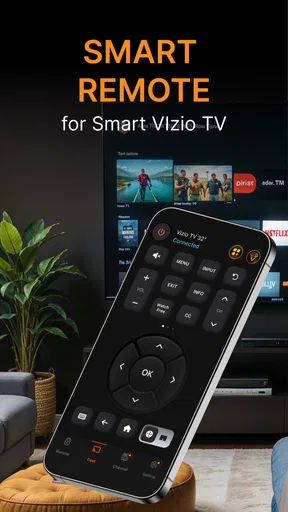
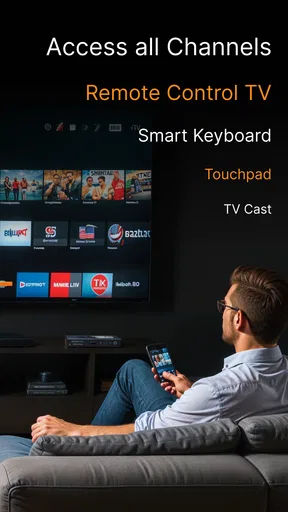
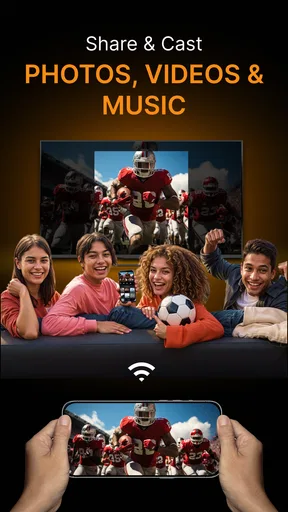
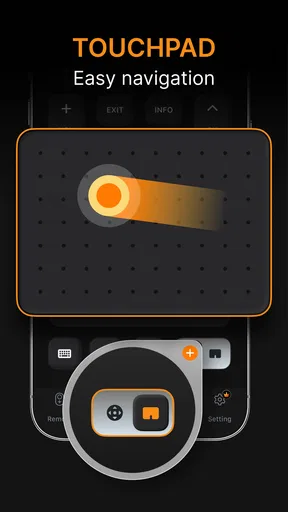
 Analysis by AppCompare
I tried Smart Remote For Vizio TV as a practical replacement for a missing or inconvenient television remote, and my first impression was straightforward: this is a focused tools app rather than an entertainment app with a remote hidden somewhere in the menus. Its purpose is to control a Vizio TV and cast photos or videos from a phone, so the experience depends less on flashy extras and more on whether it reacts when I need it to. For people who regularly use a Vizio television and want one phone-based control point, that narrow purpose makes sense.
The app is free to install, with optional in-app purchases ranging from $2.99 to $29.99 per item. It is developed by LeoStudio Global Ltd., carries an Everyone age rating, and runs on Android 7.0 or later. Those details make it accessible to a broad range of Android users, including people with older phones who do not want to replace a functioning device just to gain remote-control convenience.
How Smart Remote For Vizio TV feels in everyday use
I find the app most useful when I treat it as a handy second way to reach a Vizio TV, rather than expecting my phone to behave exactly like a dedicated remote. That distinction helps set up a smoother first try: I can check the basic controls while the original remote is still nearby, then decide whether casting personal media fits my routine.
Speed expectations when the TV is ready
Remote apps live or die by the gap between tapping a button and seeing the television respond. In my experience, the useful way to judge this app is not to expect it to behave like a physical remote in every situation. A phone has to be awake, the app has to be ready, and the television and phone need to be able to communicate. When those basics are in place, the app feels most valuable for ordinary actions such as adjusting volume, changing channels, navigating menus, or handling playback without searching for the original handset.
That distinction matters because a phone remote can appear slower even when the command itself is working normally. Unlocking the phone, finding the app, and waiting for its control screen adds steps that a physical remote avoids. I would therefore use this app as a convenient backup or shared household remote, not as a promise of instant control from a locked screen. If your main priority is the fastest possible button press during live television, the original Vizio remote still has the natural advantage.
The casting side has a different rhythm. Sending a photo or video from a phone is more deliberate than pressing volume up, and the usefulness depends on how quickly you can choose the right media and begin playback. I found that this makes the app better suited to showing a small group something already stored on my phone than to replacing a dedicated streaming setup. It puts personal media control close at hand, but it does not eliminate the need to organize that media before the moment arrives.
What happens during heavier household use
A realistic scenario is a family movie night where the physical remote has disappeared under cushions. One person can use the phone to manage the TV while another chooses a photo or video to cast. In that situation, the app earns its place because the phone is usually already nearby, and the remote function does not require another piece of hardware to be located.
Worth Reading Before You Choose

EA SPORTS FC Mobile 26 Is a Bigger Football Game, but It Takes Time

Flipboard Shows What News Apps Must Do Beyond the Feed

Switching to Android Auto Means Rethinking Your Driving Routine

Google Calendar Makes a Crowded Week Easier to Manage

Ludo King Makes the Most of the Minutes Between Plans

Baby Panda World Brings Quick Play to Modern Phones, but Its Game Library Feels Busy
Heavy use also exposes the trade-off. Repeatedly switching between the remote controls and personal media can feel less direct than using separate devices. A phone may also receive notifications, lock its screen, or be needed for another task while the television is playing. I would keep the app available on the phone that is most often near the TV, rather than installing it on every household device without a clear reason.
Another useful workflow is preparing a few photos or videos before guests arrive. Instead of browsing through the camera roll while everyone waits, I would select the material first and use the app when the TV is ready. This reduces the amount of time spent navigating on a small screen and makes casting feel more intentional. It is a simple habit, but it addresses one of the main frustrations of phone-based media sharing: the content search can take longer than the cast itself.
For routine remote commands, I would also keep the phone’s battery level in mind. A physical remote can remain dedicated to the TV, while a phone is shared with calls, messages, navigation, and other demanding tasks. The app is convenient precisely because it uses a device I already carry, but that convenience comes with dependence on the phone being available and usable at the moment I need it.
Reliability and recovery when control is interrupted
The most important reliability question is not whether every command works perfectly forever; it is how easily I can recover when the connection or session stops behaving as expected. With a phone remote, closing and reopening the app, checking that the television is still available, or returning to the control screen may be part of normal troubleshooting. That is less elegant than picking up a physical remote, but it is also familiar to anyone who uses a phone as a controller.
I recommend treating the first setup as a short test rather than waiting until the original remote is already missing. Open the app near the Vizio TV, confirm that the television can be controlled, and try both a basic command and a media-sharing action. This gives you a chance to discover any household network or device-compatibility issue while the physical remote is still available as a fallback.
Recovery is also easier when the phone is not overloaded with unrelated tasks. If I am casting a video, I avoid immediately switching through several demanding apps. If the control session becomes unresponsive, I return to the app rather than repeatedly tapping the same command. That approach prevents duplicate actions and makes it clearer whether the problem is a delayed response or a command that never reached the TV.
I would not choose this app as the only emergency control method for a television in a business, classroom, or public space. In those environments, predictable access matters more than convenience, and a dedicated remote or the TV maker’s own control solution may be a safer choice. For a home, however, having a phone-based backup can be genuinely useful, especially when the original controller is misplaced or shared between rooms.
Device constraints that affect the experience
The app supports Android 7.0 and newer, which covers a wide range of phones but still makes the operating system worth checking before installation. An older compatible phone may run the app, yet the overall experience can depend on the device’s screen, battery condition, and ability to keep apps available when moving between tasks. I would be more comfortable using it on a phone that remains responsive during ordinary multitasking.
The phone and the television also need to be treated as a pair. A remote app cannot be judged only by its interface because the TV’s state, the phone’s connection, and the household setup all influence the result. If the television is off, waking it may not behave like pressing a physical power button. If the phone is being used far from the TV or is struggling to maintain communication, commands may feel inconsistent even though the app itself has opened correctly.
Screen size is another practical constraint. A larger phone makes navigation and media selection easier, while a compact display can make repeated tapping or browsing less comfortable. This is especially noticeable when choosing photos and videos rather than issuing a single remote command. I see the app as most comfortable for short control sessions and occasional casting, not as a replacement for a large-screen media library interface.
There is also a privacy-and-attention trade-off that comes from using a personal phone for television control. Notifications, calls, and low battery warnings can interrupt the session. I would not hand my unlocked phone to a child or guest without considering what else is visible on it. A separate physical remote avoids that issue, whereas this app concentrates both television control and personal phone activity in one place.
Who will get the most from it
I think this app is a good match for someone who owns a Vizio TV, often misplaces the physical remote, and wants a free way to keep basic control nearby. It is also useful for households where one person wants to share phone-stored photos or videos on the larger screen without first moving the files to another device. The combination of remote control and smartcast access gives it more practical range than a simple button-replacement app.
It can also help when the TV is used casually in different rooms and the phone is already part of the routine. For example, I could use it to adjust the volume during a late-night program without searching for the remote, then use the same app later to show visitors a short video. Those are small conveniences, but they are exactly the situations in which a focused tool proves its value.
I would skip it if you need a guaranteed professional-grade control system, if your television is not a Vizio model, or if you dislike using a phone for basic buttons. I would also look elsewhere if your main interest is a broad smart-home dashboard that controls many brands and devices. This app’s strength is its specific relationship with Vizio TV control and personal media casting, not universal home automation.
How it compares with the usual alternatives
The original physical remote remains the simplest alternative for immediate control. It is always dedicated to the TV, does not compete with phone notifications, and is usually easier to hand to another person. Smart Remote For Vizio TV becomes more attractive when the original remote is missing, damaged, or inconveniently located, or when I want to combine control with sharing phone media.
A manufacturer-focused remote solution may be preferable for users who want the closest possible connection to the TV brand’s own ecosystem. A broader universal remote app may be better for a home containing several television brands. On the other hand, those alternatives can bring more menus and a wider setup burden than someone needs for one Vizio television. I prefer this app when the requirement is narrow and clear: control this Vizio TV from an Android phone and cast selected photos or videos.
Dedicated casting tools can also be a better choice for people who rarely need remote buttons and mainly want to send media to a screen. In that case, the extra remote controls may not matter. The reverse is true for someone who mainly needs volume, navigation, and playback control but only occasionally shares personal content. The app’s combined purpose is convenient, though not every user will value both halves equally.
Value, maturity, and the practical trade-offs
The app was released on October 31, 2023, and its current version is 1.1.20. I would read that version information as a reminder to keep expectations practical: this is a focused utility that should be evaluated by whether it solves the TV-control problem cleanly, not by the number of extra features it might contain. The free entry point makes testing easier, while the optional purchases mean I would inspect any upgrade screen carefully before committing.
Its audience response is encouraging without being a reason to ignore personal fit. The app holds a 4.5 average from around 61 thousand ratings, with about 10 thousand written reviews, and it has passed one million installs. Those figures suggest that many Android users have found the concept worthwhile, but they cannot guarantee the same result for every Vizio setup. Compatibility, phone condition, and household network behavior still matter more than popularity when deciding whether it belongs on your device.
Resource demands are best understood in context. A remote tool should not need to dominate the phone, but casting photos or videos can involve more activity than sending a single control command. I would avoid keeping it open unnecessarily when I am not using the TV, especially on an older phone with limited battery life. For occasional control, that is a minor habit; for constant media use, a dedicated streaming device may feel more natural.
My performance verdict
After looking at the full workflow rather than only the first launch, I see Smart Remote For Vizio TV as a useful, specialized utility with a clear place in an Android household. Its best moment is not replacing every advantage of a physical remote. Its best moment is making a missing remote less disruptive while adding a convenient path for sharing selected photos and videos on a Vizio TV.
The key trade-off is convenience versus immediacy: the phone is usually close, but it is not a dedicated controller. If you accept the extra step of unlocking and opening an app, the free installation gives you a practical backup and a second way to interact with the television. If instant, interruption-free button response matters more than casting, keep the physical remote or choose a dedicated alternative.
For me, the recommendation is positive for Vizio owners who want a straightforward Android tool and are willing to test the connection before relying on it. I would install it, verify the basic controls, prepare media before sharing it, and keep expectations realistic during recovery from interruptions. With those habits, it is more than a generic remote replacement: it becomes a handy household shortcut, while still leaving room for a physical remote or a dedicated casting solution when reliability and speed are the top priorities.
Pros
- Simple setup with automatic TV discovery on the same Wi‑Fi network.
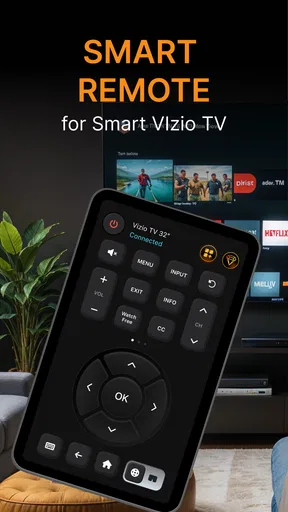
- Convenient touch controls for volume
- channels
- input
- and playback.
- Useful replacement when the original Vizio remote is lost or damaged.
- Works without requiring an additional physical accessory.
- Quick access to common controls from a smartphone screen.
Cons
- Requires the TV and phone to use the same Wi‑Fi connection.
- Compatibility may vary across older Vizio TV models.
- Third-party apps may include ads or limit features behind purchases.
- Phone calls or screen locks can interrupt remote control use.
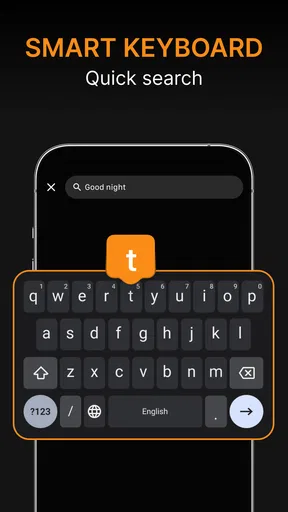
- Typing with the phone keyboard may feel slower than using a physical remote.
FAQs for Smart Remote For Vizio TV
What is Smart Remote For Vizio TV and how does it work?
Smart Remote For Vizio TV is a mobile remote-control application designed to operate compatible Vizio televisions from an Android or iOS device. After installation, the app generally connects through the same Wi-Fi network as the TV, allowing you to access buttons such as power, volume, channel navigation, input selection, and playback controls. The exact features can vary depending on your phone, TV model, and app version.
Is Smart Remote For Vizio TV compatible with every Vizio television?
Compatibility is not guaranteed for every Vizio TV. The application usually works best with newer smart televisions that support network-based remote control, while older models may require infrared hardware or may not support all available commands. Before downloading, check the app listing and confirm that your Vizio model and operating system are supported. Some functions may also differ between TV series.
Does Smart Remote For Vizio TV require Wi-Fi, Bluetooth, or an infrared sensor?
Most smart-TV remote applications connect through Wi-Fi, meaning your phone and Vizio television normally need to be connected to the same local network. Bluetooth is not always required, and many phones do not include an infrared transmitter. If the app specifically supports infrared control, your device must have compatible IR hardware. Network restrictions, guest Wi-Fi, VPNs, or different router bands can prevent pairing.
What should I do if the app cannot find my Vizio TV?
First, make sure the television is powered on or in a network-awake mode, and confirm that the phone and TV are connected to the same Wi-Fi network. Restarting both devices and reopening the application can resolve temporary discovery problems. You should also disable VPN connections, avoid guest networks, and allow any requested local-network permissions. If discovery still fails, your TV model may not support this connection method.
Are there advertisements, subscriptions, or privacy concerns in Smart Remote For Vizio TV?
The availability of advertisements, premium controls, subscriptions, and in-app purchases depends on the current version and the store listing. Review the pricing information before installing, especially if the free version limits remote features or displays frequent ads. It is also sensible to read the privacy section and requested permissions. A remote app should not need unrelated access, so avoid granting permissions that do not appear necessary for pairing or operation.


